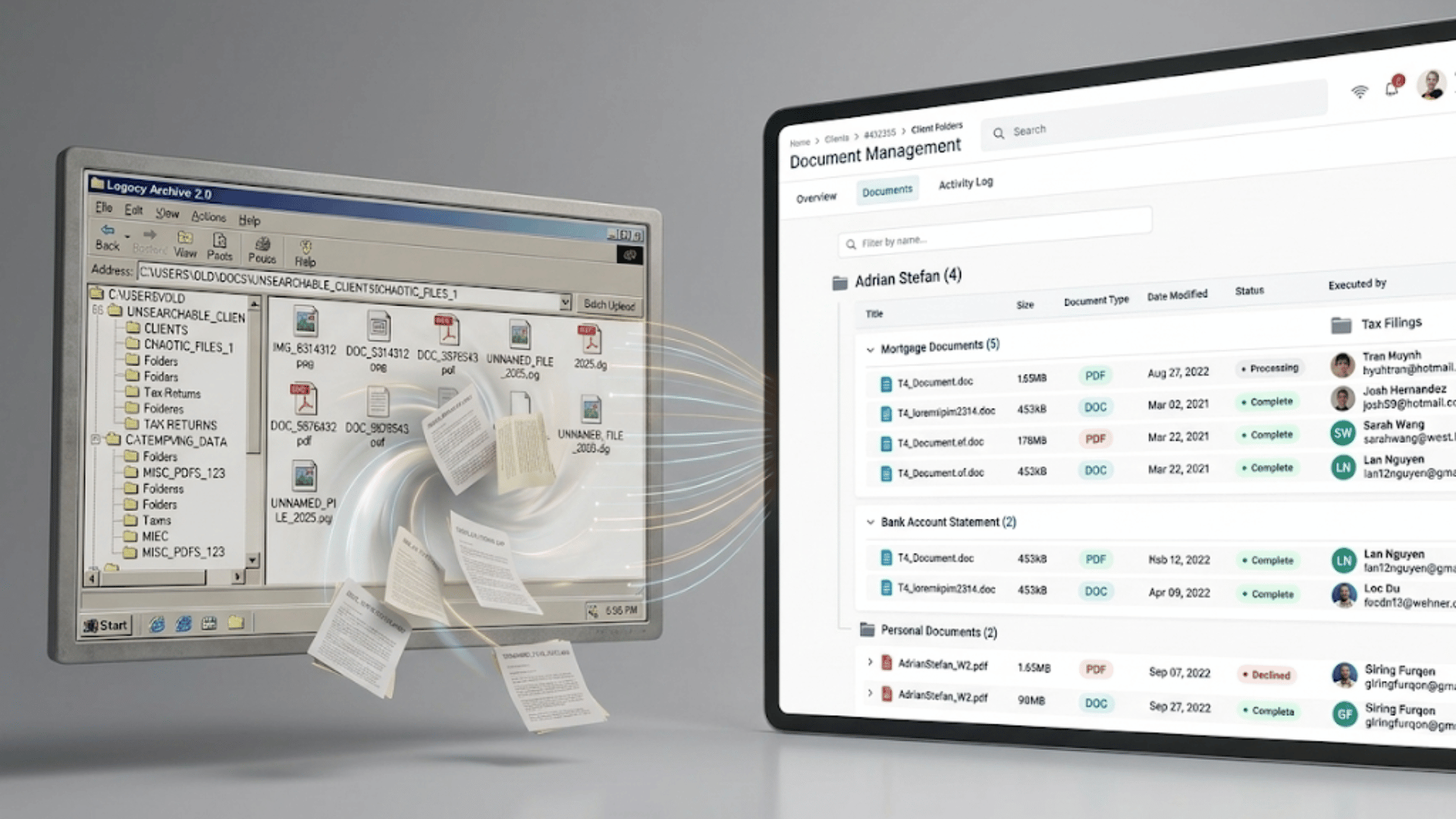
Thomson Reuters is retiring FileCabinet CS on December 31, 2027. If your firm still runs on it, you need a new home for a decade or more of client files, and the best choice depends on the tax software you use, whether you want a client portal, and how much of the filing work you want to keep doing by hand.
Here are the strongest options, what each one is best for, and where each one falls short.
The short answer
- The next generation of file storage: Liscio. Old storage is a place to put files, and your staff do the filing. Liscio reads each document, names it, files it, and saves what it is so the whole archive is searchable, by your team and by the AI tools firms now run on their files. It works with your tax software and starts at $19 per user each month for File Intelligence and document management, billed annually.
- Print straight from your tax software: SmartVault or Liscio. Both let you print returns into client folders with no upload step. SmartVault files them; Liscio files them and saves what each one is so they stay searchable. Liscio works with UltraTax, CCH ProSystem fx, CCH Axcess, Lacerte, ProSeries, and Drake.
- Staying inside the Thomson Reuters ecosystem: Onvio Documents. It is the official successor, but most firms find it slower and more rigid than the alternatives.
- Replacing your whole tech stack at once: TaxDome, Firm360, or Canopy. These bundle billing, portals, and workflow with document storage.
- Staying deep in Microsoft 365 with enterprise governance: SharePoint. Strongest Microsoft integration and compliance controls, paired with Liscio as a client portal to read, name, and file the accounting documents SharePoint does not handle on its own.
Compare the options
| Option | Where it runs | Best for | Where it falls short |
|---|---|---|---|
| Liscio | Cloud | Firms that want the next generation of storage: files read, named, filed, and made searchable for them, working with their current tax software | Not a match if you only want a plain place to store PDFs and file them yourself |
| SmartVault | Cloud | UltraTax CS firms that want print-to-folder filing | Auto-names files from your tax software, but messy client uploads (IMG_8314312.png) still get renamed by hand; Liscio renames and classifies those too |
| Onvio Documents | Cloud | Firms committed to the Thomson Reuters suite | Firms widely report it as slow and rigid; you still file every document by hand |
| TaxDome | Cloud | Firms replacing billing, portal, and storage at once | Broad platform with a real learning curve; you print into it and sort manually |
| Firm360 | Cloud | Small and mid firms wanting one connected platform | Newer and smaller than the household names; full-suite switch |
| Canopy | Cloud | Firms that want a clean, modern practice-management hub | Priced and built as a full suite, not a document tool alone |
| Microsoft SharePoint | Cloud | Firms deep in Microsoft 365 that want enterprise governance (legal holds, eDiscovery, DLP) | No accounting structure out of the box; pair it with Liscio to read, name, and file documents |
The options in detail
Liscio
Liscio is the next generation of file storage. Old storage is a bucket. It holds what you put in it, and your team does the sorting, naming, and filing by hand. Liscio does that work for you. When a document arrives, Liscio reads it, names it to your firm’s standard, and files it in the right place: a W-2, a 1099, a K-1, a signed 8879, all identified and sorted for you. It is deterministic and built for tax and accounting documents, so the results are predictable rather than a guess.
This matters most for the messiest files. A client texts in a photo named IMG_8314312.png or uploads scan0007.pdf, and old storage keeps that name forever until someone opens the file, figures out what it is, and renames it. Liscio reads the document itself, sees that it is a 2024 W-2 from a specific employer, and names and files it that way — using the firm’s standard format so files are neatly organized. The files that take your staff the most time to sort are the ones Liscio handles best.
The part a bucket can never do: Liscio saves what each document is. The year, the issuer, the form type, all recorded with the file. That is what makes the whole archive searchable, so you can find every K-1 from a given year, or every document for one client, in seconds. It is also what lets modern AI tools work across your files, because they can only find what has been labeled. A plain storage move leaves a decade of documents unlabeled and unsearchable. Liscio builds that layer as files arrive, and keeps building it on every new document.
Liscio offers a secure client portal, e-signatures, personalized tax organizers with document request lists, and personalized tax delivery walkthroughs in a single system.
Liscio fits the tax software you already run. It works with UltraTax CS, CCH ProSystem fx, CCH Axcess, Lacerte, ProSeries, and Drake. You set a Liscio folder as your print destination once, then print returns to it the way you print anything. Liscio pulls them in and assigns each to the right client. No uploading, no downloading, no sorting. From there it walks the client through reviewing, signing, and paying each part of the return.
Liscio also does not force where your files live. It migrates you off FileCabinet CS and lands your documents wherever you keep them, renamed and classified on the way in. Keep them in Liscio, or pass them to SharePoint, OneDrive, SmartVault, or Box, and they arrive with names your firm recognizes instead of IMG_8314312.png. When the destination is SharePoint, Liscio goes a step further and writes what each document is into the SharePoint columns, so the archive is searchable by field. Everywhere else, the intelligence travels in the file name itself. That is the practical difference from the rest of this list: the other options give you a place to put files and leave the sorting to you, or keep the manual model you have now. Liscio does the sorting.
File Intelligence and document management start at $19 per user each month, billed annually, with the full client-workflow and tax-season layers available as you grow.
SmartVault
SmartVault is the closest fit for firms looking to match the features that UltraTax CS provides. You finish a return, print it, and it lands in the right client folder without dragging or renaming. It includes a client portal, e-signatures, and unlimited storage, and the company offers a migration service off FileCabinet CS.
The difference from Liscio is which files get handled for you. SmartVault auto-names the clean files that come straight from your tax software. The messy ones, the documents a client uploads or texts in named IMG_8314312.png or scan0007.pdf, still get renamed and sorted by hand, or your staff set naming rules and follow them. Liscio reads and renames those too. It classifies the worst inbound files a client sends, gives them a name your firm would recognize, and records what each one is. That is the filing work that actually eats your staff’s time, and it is the part SmartVault leaves to people.
Onvio Documents
Onvio is Thomson Reuters’ own cloud replacement, and it connects natively to the CS Professional Suite. On paper that makes it the safe pick. In practice, many firms find it slow and rigid, and it keeps the same working model as FileCabinet CS: you create the folders, and you name and file each document by hand. Moving from FileCabinet CS to Onvio is a sideways step to another manual system, not a step forward. It is worth a hard look before you commit, not a default.
TaxDome
TaxDome is a full practice-management platform: document storage, client portal, billing, and workflow automation in one place. Small firms that want to replace several tools at once often land here. To get returns in, you print from UltraTax CS through a virtual print driver, then the documents sort into the system. The upside is consolidation. The tradeoffs are two: a platform this broad takes real time to set up and learn, and its document handling is one capability among many rather than the core of the product. If your main problem is the file work, that breadth is exactly what keeps it from going as deep on documents as a tool built only for that.
Firm360 and Canopy
Both are all-in-one practice-management platforms with document management, client portals, and workflow tools. Firm360 aims at small and mid firms that want one connected system. Canopy is known for a clean, easy-to-learn interface. Either can work if you want a single suite for the whole practice. The tradeoff is the same one every suite carries: spreading across billing, scheduling, portals, and workflow means the document handling is one feature among many, not the thing the product is built to do best. If the file work is your real pain, a tool built specifically for it will go deeper than a suite that also happens to store files. Both are also a bigger switch than a document tool alone, and both are priced as full suites.
Microsoft SharePoint
SharePoint is the strongest choice for firms that want to stay deep in the Microsoft world. It has the tightest integration with the Microsoft 365 stack your staff already use, Teams, Outlook, OneDrive, and Office, so files live where people already work. It also brings enterprise-grade governance that most accounting-specific tools do not match: litigation and legal holds, eDiscovery, retention and deletion policies, data loss prevention, sensitivity labeling, audit trails, and privileged access controls. Depending on your Microsoft 365 plan, these give a firm serious compliance and records-management muscle, which matters if you handle regulated data or expect to answer to auditors.
What SharePoint does not do on its own is the accounting file work. It is a powerful place to keep firm documents, but out of the box it does not work well with clients, know what a K-1 or an 8879 is, it does not build accounting folder structures, and it does not read, name, or file the messy documents clients send. That is the gap Liscio fills, and the two are built to work together rather than compete.
There are two ways to pair them. First, Liscio File Transfer moves your files out of FileCabinet CS and into SharePoint as a one-time service, so you get off the retiring system and into your Microsoft environment cleanly. Second, Liscio provides File Intelligence inside a client portal that works in harmony with SharePoint. It helps collect documents from clients, reads each document as it arrives, names it, and writes what it is (year, issuer, document type) into your SharePoint columns, so your archive is not just stored in Microsoft but searchable by field. You keep SharePoint’s governance and Microsoft integration, and you add the accounting intelligence SharePoint lacks. Use one or both.
The one thing most firms get wrong
The common mistake is treating this as a straight move: get the files out of FileCabinet CS, put them somewhere new, match the count, done. FileCabinet CS keeps your documents in drawers and folders tied to client IDs, but it does not tag documents by year, issuer, or form type. So a plain move carries the folders across and nothing else. Your files are in a new place and just as hard to work with as before.
The migration is the one realistic moment to fix that across a decade of history at once. Doing it document by document later never happens. Whatever destination you pick, ask the vendor a direct question: when this is done, will my files be named, tagged, and findable, or just moved? A move is table stakes. Findable is the point. (For the full picture on timing and process, see the FileCabinet CS end-of-life migration guide.)
How to choose
Match the option to your firm:
- You want your files read, named, and filed for you, wherever you keep them. Look at Liscio. It is also the move for firms tired of paying more each year for software that does not get materially better, and want a system that does real work off their plate.
- You want the legacy standard. SmartVault is the established, widely-used choice.
- You want one suite to run billing, portals, and workflow together. Look at TaxDome, Firm360, or Canopy. They cover the most ground, with the tradeoff that a tool spread across everything tends to go shallower on any one job, including the file work.
- You want Microsoft’s enterprise governance and deep Office integration. Use SharePoint, and pair it with Liscio: File Transfer to move your files in as a one-time service, and File Intelligence to read, name, and file documents on top of it.
Whatever you choose, start now. Thousands of firms need to make the switch and the firms that wait until 2027 will be competing for the same migration help as everyone else who waited.
Ready to move off FileCabinet CS?
Liscio migrates your files out of FileCabinet CS and lands them named, filed, and ready to search, on Liscio or on the Microsoft 365 storage you already own.